Recipe organisation
How to Organise Recipes Digitally: Websites, Photos and Handwritten Cards
A durable system for bringing scattered recipes into one searchable collection without losing their source or context.
Quick answer: The simplest way to organise recipes digitally is to choose one searchable library as the working copy, import each recipe in a consistent format, check the ingredients and steps, and keep the original source or photograph for reference. Start with the recipes you cook most often rather than trying to digitise everything at once.
A useful digital recipe collection should do more than hold files. It should help you find a recipe, decide when to cook it and turn its ingredients into a practical grocery list. This guide explains a manageable workflow for recipes spread across websites, screenshots, cookbooks and handwritten cards.
Start by deciding what “organised” means
Before choosing folders or an app, decide what you need the collection to do. Most households want some combination of these outcomes:
- Find a known recipe without remembering where it came from.
- Browse possible meals when planning the week.
- Keep ingredients and instructions together in a consistent format.
- Preserve the source, family attribution or original handwritten card.
- Build a grocery list without copying every ingredient by hand.
- Share selected recipes with other people in the household.
Those goals are related, but they are not identical. A high-resolution scan can preserve the appearance of a family recipe card, while a structured recipe entry is easier to search and use for meal planning. For an important recipe, keeping both is often the most practical approach.
Audit where your recipes currently live
Make a quick inventory before moving anything. You do not need to catalogue every recipe yet; simply identify the places you regularly look.
Swipe horizontally to compare
| Current source | What to retain | Useful digital treatment |
|---|---|---|
| Cooking website | Source URL, title, ingredients and steps | Import the link, then review the extracted recipe |
| Screenshot or phone photo | Original image and any visible source details | Extract a working recipe and retain the image for reference |
| Handwritten card | Front, back, author and family context | Photograph carefully, transcribe or extract, then verify line by line |
| Cookbook or magazine | Publication details and page number | Create a personal-use working entry only when you have the right to do so |
| Notes or document | Recipe text and attribution | Reformat consistently or enter it manually |
| Browser bookmarks | The URL plus the recipes you genuinely use | Import the keepers; archive or remove the rest |
This audit usually reveals two different collections: recipes you intend to cook, and material you saved because it looked interesting. Organise the first group before spending time on the second.
Choose one working library
A folder of images, a spreadsheet and a recipe manager can all store recipes, but using several systems as equal “master” copies creates uncertainty. Choose one place where the current, cookable version lives.
Use a simple rule:
- The working library contains the version you search, plan and cook from.
- The source copy preserves the web link, photograph, scan or publication reference.
- The physical original remains safely stored if it has personal or historical value.
For a closer comparison of the available systems, read Recipe Manager vs Notes, Spreadsheets and Browser Bookmarks, and if you want an app, see the recipe manager apps available in Australia compared.
Import recipes by source type
Recipes from websites
Importing a recipe URL is usually more useful than saving another bookmark because it creates a consistent entry that can stay with the rest of your collection. Check that the title, servings, ingredients, quantities, cooking times and instructions match the source page.
RecipeRun downloads the page on your device and attempts to extract those recipe details. Website layouts vary, so treat an import as a starting point rather than assuming every field is correct. Keep the source URL with the recipe and respect the publisher’s rights and conditions.
Screenshots, cookbook pages and printed recipes
First capture the entire recipe in focus, including its title, ingredient quantities and the end of the instructions. Avoid glare, shadows and steep camera angles. If a recipe spans several pages, check that you have every page and that their order is clear before you begin extracting it.
A photograph is useful evidence of the original page, but its text is less convenient when you need to search or build a grocery list. Create a structured working version, then compare it with the image before saving.
Handwritten recipe cards
Handwriting, stains, abbreviations and faded ink make old cards especially easy to misread. Preserve a clear image and verify the working recipe rather than “correcting” an unclear quantity by guesswork. The separate guide How to Digitise Handwritten Recipe Cards Without Retyping Them includes a capture and review checklist.
Recipes already in notes or documents
Manual entry may be faster than trying to automate a short recipe. Use the same field order as the rest of your library and retain meaningful context, such as who supplied the recipe or which edition of a cookbook it came from.
Standardise the information that affects cooking
Consistency matters most where ambiguity could change the result. Review these parts of every imported recipe:
- Title: use the name your household would search for.
- Servings or yield: record the original amount before adjusting quantities.
- Ingredients: keep one ingredient per line with its quantity, unit and preparation note.
- Temperature: preserve whether it is Celsius or Fahrenheit and whether a fan setting is specified.
- Time: distinguish preparation, cooking and resting time where the source does.
- Instructions: keep the order and any ingredient divisions clear.
- Source: retain a URL, publication reference, original image or family attribution.
Do not silently invent missing details. If “one tin” does not say what size, retain that uncertainty until you can check another source or ask the person who wrote the recipe.
Use a small, repeatable naming system
An elaborate taxonomy can become another chore. Start with names people naturally type when searching. Where two recipes share a name, add the detail that genuinely distinguishes them, such as the source, family member or style.
For example:
- Chicken soup — Grandma Lin
- Chicken soup — slow cooker
- Banana bread — no nuts
Avoid stuffing every dietary claim into the title. Ingredients and dietary suitability can change, and anyone managing an allergy should check the actual ingredients rather than rely on a recipe name alone.
Work in batches you can finish
Trying to migrate an entire bookshelf in one weekend makes quality control difficult. A more reliable sequence is:
- Import five to ten recipes you already cook.
- Review each one while the original is open.
- Use the digital version during a real cooking session.
- Correct anything that was unclear in practice.
- Add the next batch only after the workflow feels sustainable.
This produces a useful library immediately and tests whether your chosen structure works before hundreds of entries depend on it.
Connect the library to meal planning and shopping
Organisation becomes more valuable when the recipe does not stop at storage. Add the recipes you intend to cook to a weekly meal plan, then bring their ingredients into one grocery list. Review the generated list against what you already have at home and against any optional or pantry ingredients in the source.
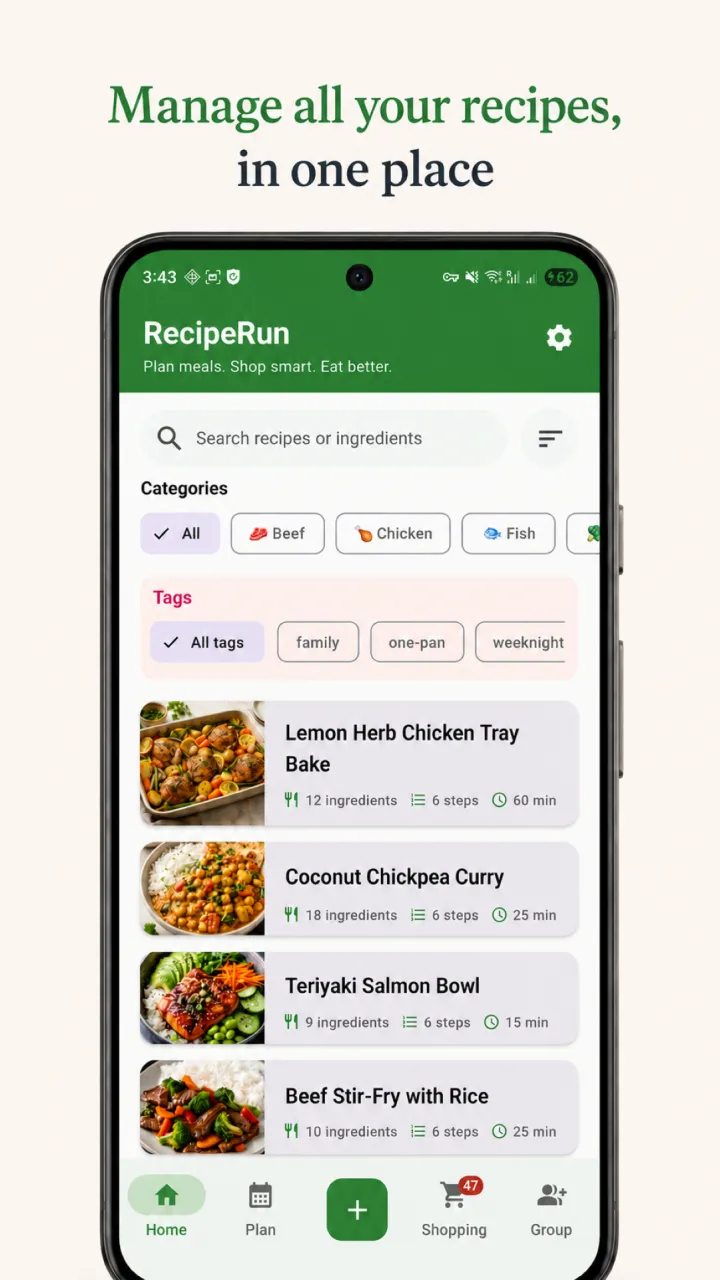
RecipeRun combines a searchable recipe library, weekly meal plan and automatic grocery list. It is designed to avoid ingredient double-ups and update the list when the plan changes. Read How to Turn Recipes Into One Grocery List Automatically for that workflow in detail.
Keep a backup and retain important originals
A recipe app is a working tool, not a reason to discard an irreplaceable card or your only source image. The National Archives of Australia advises handling fragile paper carefully and using appropriate digital copying when a high-quality access or preservation copy is needed.
RecipeRun stores ordinary recipe data locally unless you use cloud-enabled features. On Android, an optional backup can be saved to your own Google Drive account. On iOS, recipe data can sync to your own private iCloud database when iCloud sync is enabled. Check your settings and test that your chosen backup method can be restored before relying on it. The current details are set out in the RecipeRun Privacy Policy.
For treasured family records, keep a separate high-quality image backup with meaningful file names as well as the structured recipe you use for cooking.
Privacy and copyright checks
Only import material you have the right to store and use. Copyright can protect the original expression, photographs and presentation of a published recipe even when the underlying cooking idea is familiar. IP Australia explains that copyright protects original expression and arises automatically in Australia.
RecipeRun imports are intended for personal use. If you share imported material with a Family Group, you remain responsible for having the right to do so. See the RecipeRun Terms for the complete conditions.
Photo import uses third-party AI providers to extract recipe text. Avoid submitting images containing people, addresses, financial details or other sensitive information. RecipeRun does not use uploaded content to train AI models, but extraction can still be inaccurate or incomplete and must be reviewed.
How RecipeRun fits this workflow
RecipeRun can bring recipes from cooking websites, TikTok and YouTube links, uploaded video files, photographs, screenshots and handwritten cards into one searchable library. You can review the extracted ingredients and steps, add recipes to a weekly plan and generate a grocery list. Recipe management, meal planning and grocery lists work worldwide; supermarket price comparison is currently limited to Australia.
Photo, URL and video imports are conveniences, not guarantees of an exact transcription.
Explore RecipeRun’s recipe manager and grocery list features, then download it free on Google Play or the App Store.
Frequently asked questions
What is the best way to organise recipes digitally?
Use one searchable working library, retain the original source, review imported ingredients and instructions, and apply a small naming system consistently. The best tool is the one that supports how you find, plan and cook recipes without creating duplicate master copies.
Should I scan recipes or type them out?
Keep a clear scan or photograph when the original appearance or handwriting matters. Create a structured text version when you want to search, edit, plan meals or generate a grocery list. Important family recipes benefit from having both.
Can I organise recipes from different websites in one app?
Yes. RecipeRun can import recipe details from cooking website links into the same library as recipes created from photos or entered manually. Review every import and retain its source URL.
Will a recipe photo import be completely accurate?
Not necessarily. Handwriting, image quality, page layout and ambiguous units can all affect extraction. Compare the imported title, quantities, units, temperatures, times and instructions with the original before cooking.
Should I throw away recipe cards after digitising them?
No, not if the original has personal, historical or evidential value. A convenient recipe entry is not automatically an archival-quality preservation copy. Store the original appropriately and keep a separate high-quality digital image.
Sources and disclosure
- National Archives of Australia guidance on preserving paper files.
- National Archives of Australia digitisation standards.
- IP Australia overview of copyright.
- RecipeRun Privacy Policy and Terms of Service, accessed 13 July 2026.
This guide is published by the team that makes RecipeRun. Product descriptions are based on the app’s documented capabilities as at 13 July 2026. We have identified limitations rather than presenting RecipeRun as the right system for every collection.